Features
One app. The whole broadcast chain.
Mix your show, bring in callers and remote studios, record every channel, broadcast to multiple stations, control it all from your phone or tablet — and turn the recording into a finished, chaptered, transcribed episode without leaving ShioCaster.
Signature capabilities
The things only ShioCaster does
Ready to Air
A full preflight of the broadcast chain — engine, channels, recording folder, destinations, credentials — before airtime, with a safe test connection.
Off-Air Talkback
Talk between studios while the music plays on. Talkback never reaches the stream, the recording or the transcript.
Transcript-based editing
Edit your podcast by editing the transcript. Select the sentences, delete them, and the audio follows.
Metadata-aware editing
Songs, topics, markers and transcript stay locked to the right audio through every cut, move and ripple delete.
Audio source recognition
Re-imported renders are recognised by the audio itself, so chapters and transcript reattach to edited material automatically.
Independent multi-station broadcasting
Go live to several stations at once, each on its own connection. One failing destination never takes the others off the air.
Companion as studio camera
Your phone or tablet becomes a wireless Studio Link camera — ideal for a Mac mini studio without one.
Private, local AI
Transcription and show intelligence can run on your own hardware. Only the speech bus is ever routed to AI — never music, master or talkback.
Live show to finished episode
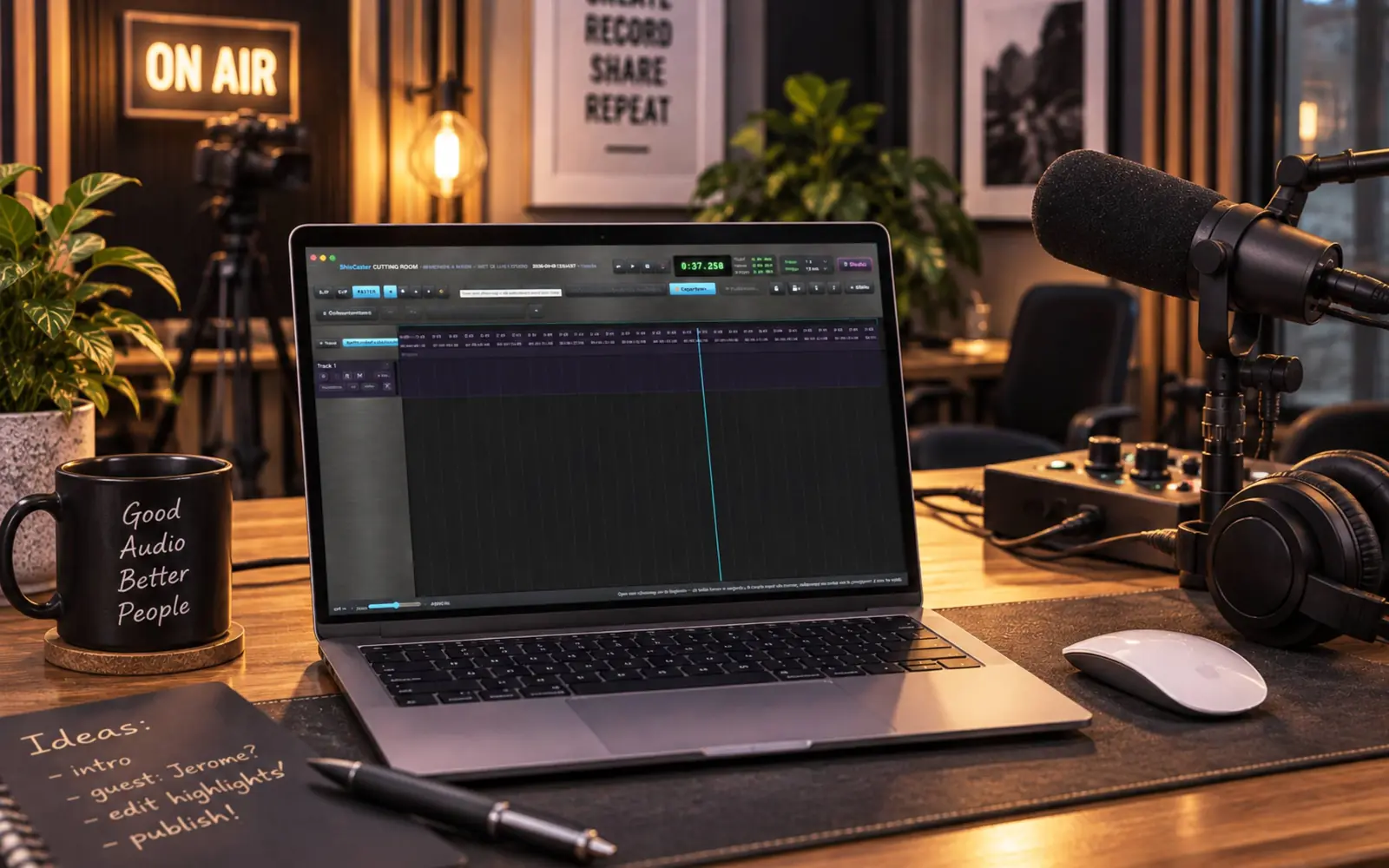
True multitrack recording flows straight into the Cutting Room: one workflow from GO LIVE to a published, chaptered episode.
The complete list
Everything in the box
ShioCaster is a complete broadcast studio, recorder, remote-production platform, podcast editor and metadata engine. This is the full inventory.
The live console
A professional multichannel mixer for radio, podcasting and live broadcast.
- Add, remove and reorder channels freely — the layout is saved per show, with drag-and-drop ordering and a lock against accidental moves
- Microphones, stereo mic pairs, line-in, browser and app audio, Spotify, internet radio and streams, local music, phone callers and Studio Link guests all live on real mixer strips
- Direct stream URLs plus M3U, PLS and HLS playlists
- Per channel: fader, mute, solo, cue/pre-listen, pan and your own channel name
- Broadcast-console fader curve with double-click to unity gain
- Automatic reconnect when an audio device briefly disappears
Mixing & processing
Broadcast processing built in, not bolted on.
- Auto-ducking pulls music down when someone speaks, with adjustable depth
- Voice FX per microphone: high-pass filtering, broadcast-style compressor and extra mic gain
- Central reverb and delay engine with per-channel sends — decay, pre-delay, tone, delay time and feedback all adjustable
- Program and monitor audio are fully separated: cue and talkback stay out of the broadcast
- Peak metering and professional level displays throughout
Broadcast master & loudness
A master processor and EBU-grade loudness monitoring on board.
- Built-in broadcast limiter with Clean Safety, Broadcast and Loud presets
- Adjustable drive, density and output ceiling, with gain-reduction metering and peak protection
- EBU R128 / LUFS monitoring: momentary, short-term and integrated
- Loudness targets for podcast (−16 LUFS), streaming (−14) and EBU broadcast (−23)
- Dead-air detection warns when the master goes silent during a recording
- The same mastering chain can be applied on export
Music, Spotify & sound pads
Music production tools made for live radio.
- Spotify integration: account and device selection, playlists, transport and volume — captured as a real mixer strip on supported systems (macOS)
- Automix transitions: Cut on Beat, Backspin, Brake, Echo Out, Filter Sweep, Turntablist Combo and Surprise Me
- Crossfade and Block Mode with a set number of tracks; optionally stop recording after a music block
- Automatic music metadata with optional ISRC lookup; local music keeps playing without Spotify or internet
- Sound pads for jingles, sweepers, intros and stingers: own audio, name, colour, volume, loop mode and hotkey per pad, with pad banks per show
- Pad events can drop markers into the recording automatically
Rundown, show clock & On-Air HUD
Your show plan, live in the studio and on every screen.
- Rundown with segments and planned durations: Start Show, Next Segment, live countdown, almost-done and overtime warnings
- Current and next segment visible in the studio, on the remote dashboard and in Companion
- Segment changes can flow into metadata and the timeline
- Large On-Air HUD for a second monitor: record and on-air status, show timer, wall clock, LUFS, dead-air and recording warnings
- Name unknown music live as Artist – Title
Recording you can trust
Broadcast-grade capture that survives crashes, sleep and bad luck.
- Crash-safe direct-to-disk recording with a recovery file
- Configurable pre-roll of 10, 30 or 60 seconds
- Master recording, clean mix, voice and music stems, and true sample-aligned multitrack
- WAV in 16-bit, 24-bit and 32-bit float at sample rates from 8 to 192 kHz, plus WebM/Opus
- Mirror recording to a backup folder; auto-record the moment a Studio Link guest connects
- Disk diagnostics plus protection against closing or sleeping mid-take
- Takes browser per episode: play, rename, delete or open straight in the Cutting Room
- Manual markers with a shortcut and undo, automatic markers from pads, songs and station skips — all still there in the edit
Live titles & metadata
RDS thinking for modern internet radio.
- Automatic Artist – Title and segment/topic titles, including a combined format
- Titles from Spotify, radio stream metadata and AI topic detection
- Metadata push to ShioCast, AzuraCast and direct Icecast admin title push, plus external Broadcast OS / ICY workflows
- Correct unknown songs live or later in the Cutting Room — metadata stays attached to the right audio through editing
- Independent of the recording, with a configurable buffer offset
Broadcasting & stations
Go live everywhere at once, safely.
- GO LIVE to one or many stations simultaneously, each with an independent connection and status: connecting, on air, error, reconnecting
- A slow or failing server never blocks the other destinations; automatic reconnect with exponential backoff
- MP3 live encoding with provider-appropriate bitrates, automatic sample-rate conversion and TLS where required
- ShioCast Cloud, self-hosted ShioCast, AzuraCast, Radio.co, Live365, Icecast, SHOUTcast and custom servers
- Provider wizard with advanced host, port, mount and TLS options; automatic station discovery for ShioCast and AzuraCast
- Ready to Air preflight checks the whole chain before airtime, with a safe test connection
Remote studios: Studio Link
Bring the remote studio into the room — no conferencing app required.
- Remote co-hosts and guests on their own mixer strip and their own multitrack track
- WebRTC peer-to-peer with STUN, TURN and relay fallback; simple room-code workflow
- Video between studios with a pop-out for a second screen; pick and switch the Mac camera, or use Companion as the camera
- Off-air talkback: confer between studios while music stays on air — microphones are shielded from Program, and talkback never reaches the recording or the transcript
- Remote dashboard with link health, current and next rundown segment, and record/on-air status
Phone & audience
Live callers and listener messages, on real channels.
- Incoming and outgoing calls with dial pad, DTMF and answer/hang-up, plus a built-in address book with search and show filters
- Broadcast mix-minus: callers hear everyone except themselves
- Twilio Voice, Asterisk/FreePBX, FusionPBX/FreeSWITCH, 3CX and generic SIP/WebRTC PBX over secure WebSocket, with STUN/TURN where needed
- A caller is a normal mixer strip: fade, mute, cue and record like any channel
- Listener SMS via Twilio or a generic HTTP gateway: turn a message into a marker or topic, reply from ShioCaster, and keep message text tied to the take for the edit
AI, transcription & privacy
Show intelligence on your terms — cloud, local or none at all.
- Realtime and per-segment transcription, with transcripts flowing into the Cutting Room
- Transcription via OpenAI, Groq, Mistral, Ollama or your own Whisper server, with primary and fallback providers and dynamic model discovery
- AI Topic Writer drafts segment titles and short descriptions from what was said — suggestions appear as confirmable chips, and can feed chapters and live titles
- Topic providers include Ollama, OpenAI, Anthropic Claude, Gemini, DeepSeek, Mistral, Groq, OpenRouter and any OpenAI-compatible server — no vendor lock-in
- Transcription is off by default; only the microphone speech bus is ever routed to AI
- Music, Studio Link return, master audio and talkback are never sent to transcription; run fully local over your LAN if you prefer
The Cutting Room
A full podcast editor inside the same app.
- Non-destructive editing — original takes stay intact: cut, split, trim, move, copy, duplicate and ripple delete
- Clip gain, fade-in/out, microfades and equal-power crossfades
- Strip Silence with minimum duration, edge handling and automatic gap closing that keeps markers and metadata aligned
- Adaptive grid from milliseconds to minutes, nudge from 1 ms, snap, loop regions and deep undo/redo — Pro Tools-style controls and shortcuts
- Multitrack mixer with track and master inserts, metering, record-arm and voice-over recording straight into the timeline
- Transcript-based editing: click a sentence to jump there, select spoken text to select audio, delete text to cut it
- Metadata-aware editing with event filters for songs, topics, markers and unknown items
- Audio source recognition re-links chapters and transcripts to re-imported or edited renders — based on the audio itself, not the filename
- Audio Unit plug-ins with native windows, insert chains, offline AudioSuite-style processing and undo (macOS)
Export & publish
From timeline to published episode in one move.
- Export the complete show or a selection: WAV 16/24/32-bit float at 44.1, 48 or 96 kHz, MP3 at 192, 256 or 320 kbps
- As-mixed, or normalised to −16 LUFS podcast, −14 streaming or −23 EBU, with master broadcast processing on export
- Episode title, number and season, artwork, description, chapters, show notes, transcript, song log with ISRC, markers and a metadata JSON
- MP3 chapter metadata and sidecar files
- Publish straight to your station as one episode pack — already-uploaded audio is detected to avoid duplicates
Control & monitoring
Hardware faders, OSC, keyboard-first — and monitoring that keeps up.
- Mackie Control / MCU and HUI, with X-Touch, FaderPort and iCON-style surfaces, fader banking, motorised-fader and meter feedback
- MIDI Learn for faders, mute, solo, cue, master, record, markers and Next Segment, plus a raw MIDI monitor
- Built-in OSC server with feedback — ready for TouchOSC, QLab, Reaper, Stream Deck bridges and broadcast desks
- Keyboard-first: R record, M marker, Space transport, 1–9 mute, Shift+1–9 solo, C clear cues, and a full shortcut sheet
- Separate Program and headphone monitoring with cue/PFL and solo; several headphones in one monitoring rig
- Bluetooth dropout detection: a vanished headset never stops the recording
Companion
The studio in your hand — free on the touch devices you already own.
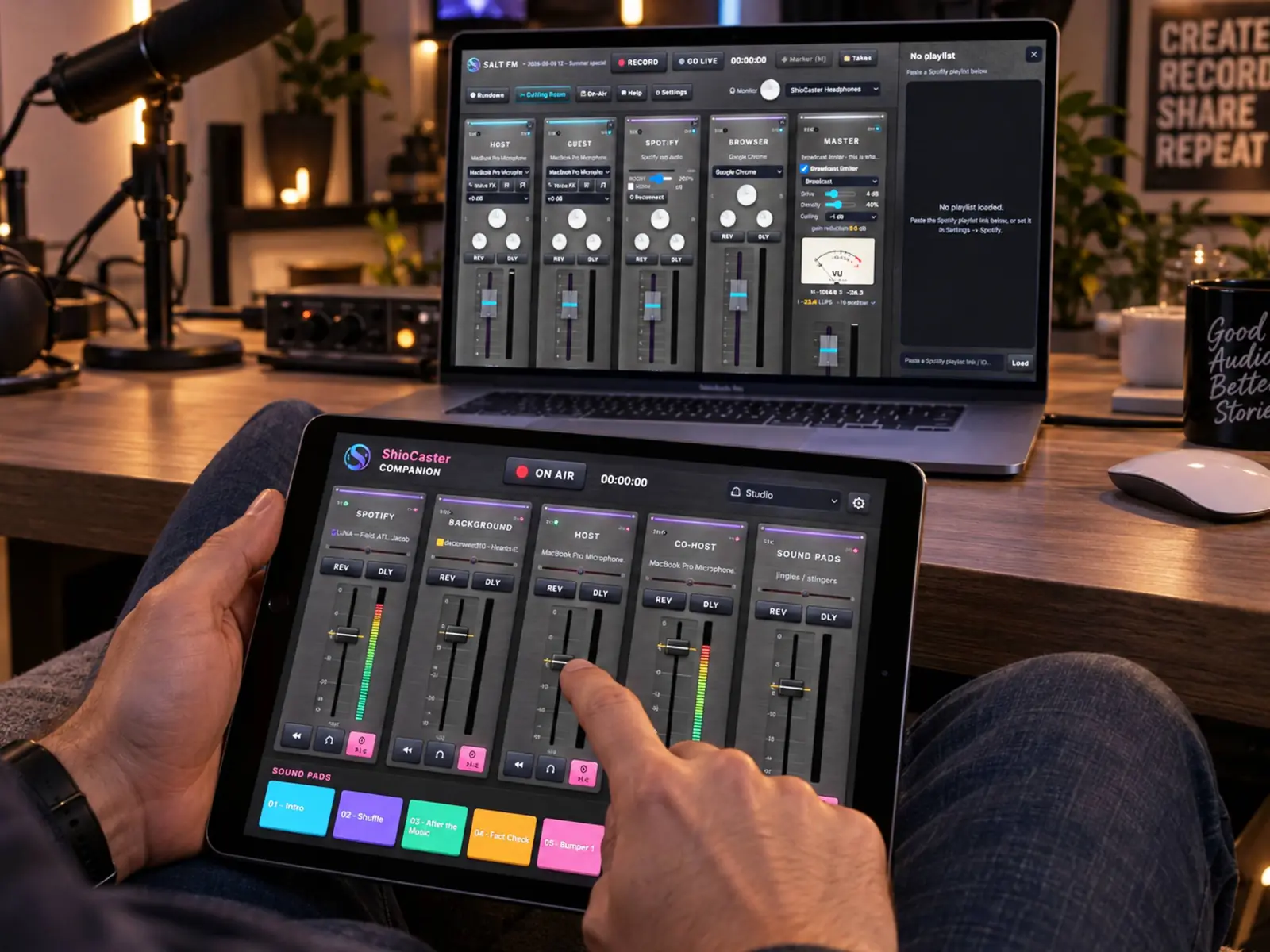
- Live mirror of the desktop mixer: faders, mute, solo, cue, pan, reverb/delay, Voice FX, master and monitor
- Broadcast processor presets and gain reduction, auto-duck, record, markers, station skip, sound pads and Spotify control
- Add, remove and reorder channels remotely — Companion can follow the desktop order or keep its own
- Remote studio display: ON AIR, REC, timers, rundown countdown, LUFS, dead-air warning, live title and music-block progress
- Enter unknown titles, accept AI topic suggestions and turn listener SMS into markers — from the couch
- Off-air talkback from Companion, with a big unmissable status before your mics go back on air
- Use the phone or tablet camera as the Studio Link camera
- Pairing by automatic discovery or a six-digit code; local network only, no cloud account, and paired controllers can be revoked
- Phone and tablet layouts that follow your studio's colours
Shows, security & fit and finish
Run several programmes from one install — safely, in your language.
- Show profiles: each programme keeps its own board layout, channels, devices, FX, pads, rundown, recording and station setup, plus its own logo and colours
- Episode management with automatic folder structure, date-based naming and a crash-recovery scan
- Studio portability: export a complete studio and import it on another Mac, optionally including credentials
- Encrypted secrets vault backed by the macOS Keychain — diagnostics can be copied without passwords or API keys
- App-audio capture is limited to the application you explicitly choose
- First-run wizards for studio, show, recording folder and stations; an in-app user guide with links that open the right settings panel
- 14 languages with full Arabic right-to-left support, in the studio and in Companion
- Brushed-steel and flat skins, colour presets and per-show branding
Signal flow
Two flows that define the studio
ShioCaster runs on macOS 14 or newer, on Apple Silicon and Intel. App-audio capture and Audio Unit plug-ins are macOS features. ShioCaster Companion is a free download for Android and iOS — store links go live at launch.